Article
How to make an invoice
A complete guide of things to include on an invoice, how to write line items and due dates, common mistakes to avoid, and many other tips and tricks for freelancers.
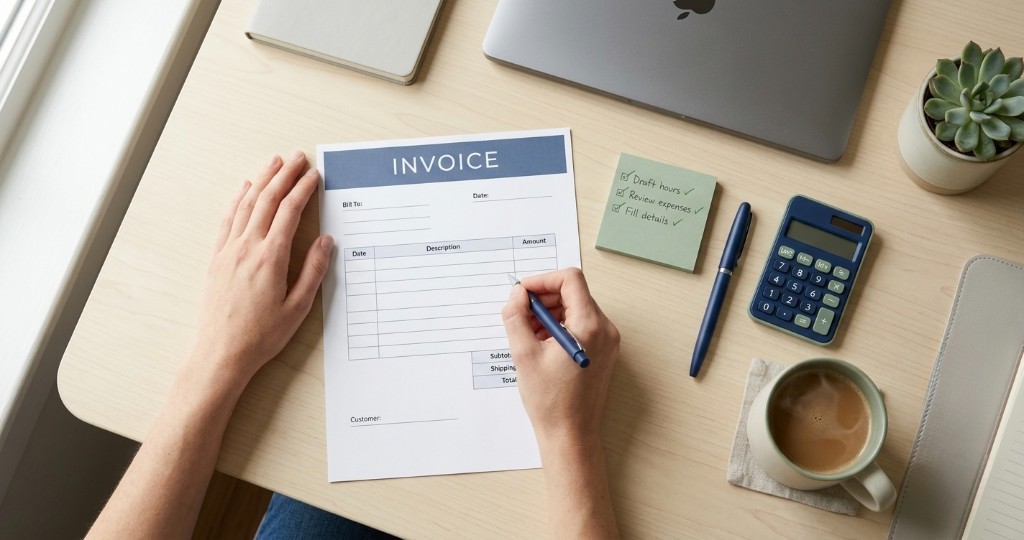
Short answer: use a template or an app, fill in your details and the client’s, give it the next number in your sequence, list the work line by line, and add a real date it’s due plus how to pay. Then send it the same day you finish, while the work is still fresh in everyone’s mind.
Making an invoice sounds like paperwork, but it is really just a clear request for money. You are telling one person six things: who you are, who owes you, what the money is for, how much it is, when it is due, and how they can pay. Get those six things right and most clients wouldn’t need to send a single follow up email before you get paid. Get one of them wrong and you have quietly turned “pay this” into “email them to sort this out first”, which is how invoices end up sitting at the bottom of someone’s inbox.
If you want the deeper reasoning behind layout and how a finance team actually reads your bill, that lives in what makes a professional invoice. This guide is the hands on version: sit down, open a template or an app, and walk out with an invoice you can send today.
What every invoice needs
Before you touch a template, gather the pieces. These are very crucial and must be known by the business if they want to create a proper and clean invoice:
- Your details: legal or trading name, address, email or phone
- Client details: name, company, and billing address if they have one
- Invoice number: unique for each bill (INV 001, INV 002, or similar)
- Invoice date: the day you issue it
- Due date: a real calendar date, or clear terms such as Net 14
- Line items: what you did, quantity or hours, rate, and line total
- Tax: VAT, GST, or sales tax where it applies
- Grand total: currency and final amount due
- How to pay: bank details, a card pay option, or both
A purchase order number, project name, a short late fee note, and a genuine thank you are all optional, but they cost nothing and they make the invoice feel like it came from someone who has done this before.
Step 1: Confirm you should be invoicing (not quoting)
Here is a mistake that feels small but it is not and that is sending an invoice while the price or scope is still being discussed. If the price is still changing that means the price is not agreed upon and you are not billing yet but rather you are quoting the business and that means giving an estimate. An invoice is a statement that payment is owed for the work discussed and price agreed upon, full stop. Blur the line between the two and you confuse the client’s finance team, who now have to work out whether they are approving a proposal or paying a bill. We unpack the whole difference in invoice vs estimate.
The exception worth remembering is that a deposit or a milestone payment is invoice territory, even when the project is not started or only halfway done. You are not billing for finished work, you are billing for starting the work or an agreed stage of work.
Step 2: Set identity and numbering
Business identity
Use the same business name and address on every invoice. It sounds trivial, but consistency is what lets a client match your bill to the right supplier record on the first try. Save your logo and brand colours once so you are not redesigning the page each month like it is a new project.
Invoice numbering
Pick a numbering system and then leave it alone. Gaps and reused numbers quietly make bookkeeping harder for both sides, and they are the kind of thing an accountant will email you about at the worst possible moment. Plain sequential numbers (INV 001, INV 002) are more than enough for most freelancers. If you want the fuller patterns and what to avoid, they live in invoice numbering.
Step 3: Write clear line items
Prefer specifics over vague labels
A line that just says “Services” or “Consulting” may cause confusion and makes them think as to what it covers, and every question they ask causes delay. You should clearly state what you actually did like:
- “Website homepage redesign, 12 hours @ £75/hr”
- “Brand logo package (3 concepts + 2 revisions)”
- “Monthly social content retainer: September 2026”
If you bill by time, show the hours worked and the rate. If you bill fixed fees, display the deliverables delivered. Just think from the perspective of the client and ask will I understand the charge without needing any further clarifications. If not, rewrite the line.
Worked example: one freelancer invoice
It is easier to see than to describe. Alex, a freelance consultant, has just finished a two day workshop:
| Field | Example |
|---|---|
| Invoice number | INV 0088 |
| Invoice date | 8 September 2026 |
| Due date | 22 September 2026 (Net 14) |
| Line 1 | Leadership workshop delivery, 2 days @ £650/day = £1,300 |
| Line 2 | Printed workbooks (reimbursable), qty 12 @ £8 = £96 |
| Tax | As required locally eg. VAT |
| Payment | Bank details on PDF or a Pay button for cards |
Nothing on that invoice needs a follow up question, which is exactly the point.
Step 4: Add tax and a total that adds up
Apply tax only where your situation actually requires it, and then check the arithmetic. Line items, discounts, and tax should align with amount due, every single time. If any discrepancies arise is when the payment could be stalled, because now a real human has to stop and reconcile your maths before anyone approves it. If you work across borders, state the currency so nobody assumes dollars when you meant pounds.
Step 5: Choose payment terms and a due date
“Pay when you can” is not a payment term, it is a wish. Give the client something concrete to act on. Net 7 or Net 14 suits most freelancers, and whatever you choose, print a real calendar due date (“Due 15 September”), not just a “Net 14” tucked into the small print. If a larger corporate client insists on Net 30, do not simply absorb the risk, protect yourself with a deposit or milestones. The full breakdown of what each term means is in payment terms on invoices.
Step 6: Put payment instructions on the document
Never make the client “reply for bank details”. If a client has to ask for a payment method it creates friction and becomes an overhead for the client. That single missing detail turns your invoice into a task instead of an action, and tasks get deferred. The payment method or the link along with any instructions required must be mentioned in the invoice. Many invoice apps like Trueinvoice has an option to connect to third party payment gateways like Stripe. Having opted for such a tool a link or a Pay button is automatically added to the invoice making the payment flow a bit more smoother. The client can settle it in the time it takes to read that invoice. See Connect Stripe and get paid.
Step 7: Send it the same day you deliver
This is the highest leverage habit most freelancers skip. The work was just completed, the client knows about the details, the value is obvious, so send the invoice the same day or the next, by email, shareable link, or PDF, whichever your client prefers. The practical send tips are in how to send an invoice. After it goes out, keep an eye on whether it was viewed, paid, or overdue, and lean on the habits in how to get paid faster without nagging. If you want to know about simple habits or checklists which when avoided quietly sabotage the payment flow, read common invoice mistakes. Whichever way you send it, keep the PDF light and tidy first, and LocalPDF.me handles quick jobs like merging a covering page or shrinking a large file before it goes out.
Checklist before you hit send
- Client name matches their PO or contract
- Invoice number is unique
- Due date is a calendar date
- Line items match the agreed scope
- Totals add up
- Payment method is on the document
- You are sending within 24 hours of delivery
Common mistakes that delay payment
Most late payments are not the client being difficult, they are avoidable gaps on the invoice itself:
- Missing due date, or vague “ASAP” language
- Incomplete client name or company, so finance cannot match the PO
- Line items that do not match the agreed scope
- No payment method on the document
- Waiting a week after delivery to send the bill
- Reusing the same invoice number
Template, free maker, or invoice app?
Which tool you reach for really depends on how often you bill and how much you need to track afterwards:
| Situation | Good fit |
|---|---|
| One off bill once a year | Template or free invoice maker |
| Same clients every month | Invoice app |
| Need outstanding status and reminders | Invoice app |
| Card pay on the document | Invoice app with payments |
A free web tool is genuinely useful for a one off or a trial run. The moment you are billing the same people repeatedly or sending similar services to multiple clients you would probably need a record of transactions, tracking invoice status, recurring invoices, etc. and that is where an app becomes very useful. More on that trade off in invoice templates vs invoice apps.
Make your first invoice today
If you just want to practise in the browser with no account, try the free invoice maker. When you are ready for saved clients, recurring schedules, expenses, reminders, etc use an invoice app like Trueinvoice and let it remember the details so you do not have to.
FAQ
Do I need special software to make an invoice?
No. You can start with a Word or Excel template, a free web invoice maker, or an invoice app. Software helps once you bill the same clients repeatedly and need history, status, and reminders.
When should I send the invoice?
Send it the same day you deliver the work or milestone, or within 24 hours. Every day you wait is a day the client is not paying.
What payment terms should I put on the invoice?
Net 7 or Net 14 works well for most freelancers. Always print a calendar due date, not only ‘Net 14’ in fine print.
Can I invoice before the work is finished?
Yes, for deposits and milestones. Send an estimate first when scope is still negotiable, then invoice when payment is owed.