Article
How to track expenses as a freelancer (a simple weekly system)
A simple way for freelancers to track expenses, covering what to record, categories that work, receipt habits, mileage, and a 10 minute weekly review.
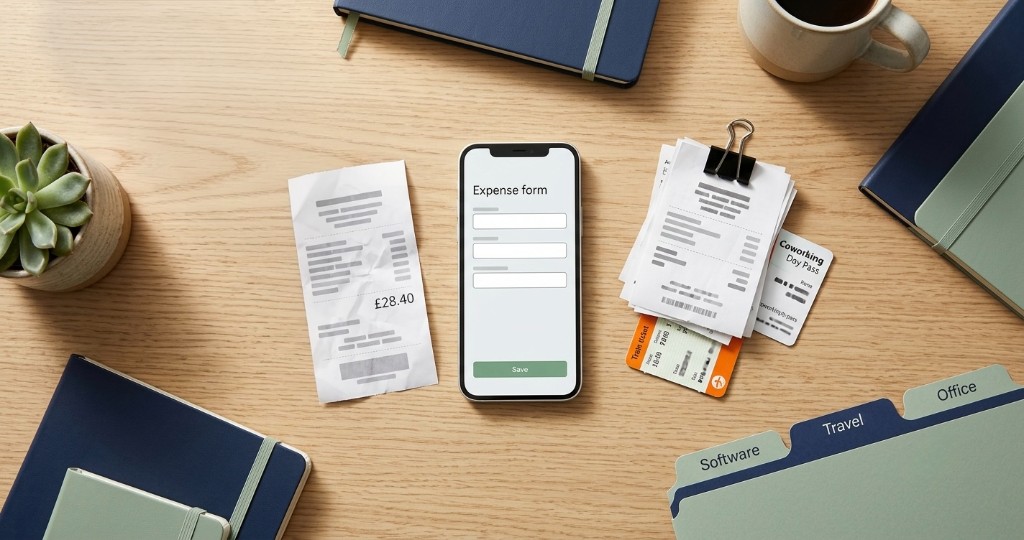
Short answer: each time you pay for something for work, snap the receipt and note who you paid, what it was for, the date and the amount (plus any VAT). Stick to a handful of categories, run work spending through its own account, and give it 10 minutes on a Friday. That’s enough to know your real profit and to hand your accountant clean records at tax time.
Most freelancers keep a close eye on invoices and let expenses drift until tax season. It’s an easy habit to fall into, because invoices bring money in and expenses feel like a burden. But your profit is what’s left after costs, and if those costs live in a camera roll and a vague memory of “that software subscription,” you can’t tell whether a busy month was actually a good one.
You don’t need a bookkeeper for this. You need a system simple enough that you’ll still be using it in March. This post sits alongside the weekly money review in cash flow habits for freelancers.
Why tracking expenses is worth the effort
The obvious reason is tax. In most countries, genuine business costs reduce the profit you pay tax on, but only if you can show what you spent. A receipt you can’t find is a deduction you probably won’t claim.
There are some other benefits as well. Knowing your costs keeps your pricing honest: if software, travel and equipment eat 15% of what you bill, your rates need to cover that. It also stops you absorbing costs you meant to pass on to a client, like a stock image licence or a train fare to their office.
What to record for every expense
Five details cover almost everything an accountant or tax office will ask for:
- Merchant: who you paid
- Category: what kind of cost it was
- Date: when you paid
- Amount and tax: the total, plus any VAT or sales tax shown on the receipt
- Receipt: a clear photo or the PDF from your email
The rule that makes it work is to log it when you spend it. Waiting until the end of the month means guessing, and guessing means missed costs. In Trueinvoice, an expense takes those exact fields, with the receipt photo taken straight from your camera or gallery. The steps are in track expenses and receipts.
Categories that actually get used
The best category list is one short enough that you’ll pick from it without thinking. Most freelancers get by with around ten:
| Category | Typical examples |
|---|---|
| Software and subscriptions | Design tools, cloud storage, accounting apps |
| Equipment | Laptop, camera, monitor, microphone |
| Marketing | Website hosting, domain, ads, portfolio printing |
| Travel | Train fares, mileage, parking for client visits |
| Office | Coworking passes, a share of home office costs where allowed |
| Professional services | Accountant, lawyer, subcontractors |
| Training | Courses, books, conference tickets |
| Bank and payment fees | Account fees, payment processing fees |
| Client reimbursables | Costs you’ll bill back to a client |
| Other | Anything else, reviewed monthly |
If a category never gets used after three months, delete it. And keep an eye on “Other.” If it’s growing every week, that’s usually a sign you need one new category, not a bigger junk drawer.
A week of expenses, logged properly
| Date | Merchant | Category | Amount | Tax |
|---|---|---|---|---|
| Mon | Adobe | Software and subscriptions | £54.99 | £9.17 |
| Tue | Avanti West Coast | Travel | £28.40 | £0.00 |
| Wed | Namecheap | Marketing | £12.00 | £2.00 |
| Fri | Coworking day pass | Office | £25.00 | £4.17 |
That’s four entries and maybe three minutes of work. The same four costs left until the end of the quarter can easily take an hour to track down.
Mileage and travel
Driving to a client? Jot the trip down that evening, before it blurs into every other drive that week. You want the date, where you went, why, and how many miles. Many tax systems let you claim a flat rate per mile instead of adding up fuel and running costs. In the UK, for example, HMRC’s approved rate for cars and vans is 45p a mile for the first 10,000 business miles in a tax year and 25p after that. Rates and rules differ by country, so check yours, but the record you need is the same everywhere.
Your regular commute to a fixed workplace usually doesn’t count. Trips to a client’s office, a shoot location, or a supplier usually do.
Keep business and personal money apart
Mixing a grocery shop with a software renewal on the same card is how a quick review turns into archaeology. A separate bank account for your business is the simplest fix, and many banks offer free ones for sole traders.
If something business related does land on a personal card, log it the same day and note which card you used. Don’t leave it for year end, when you’ll be staring at a statement trying to remember whether that £40 at a café was a client meeting.
It’s also worth moving a slice of every client payment into a separate tax pot as it arrives. How much to set aside is covered in freelancer tax basics, and accurate expenses are what make that figure realistic.
Reimbursable costs vs your own overheads
Some costs are yours to carry: your laptop, your design tools, your website. Others are the client’s, like stock photos they asked for, a courier, or travel they agreed to cover. Designers and photographers deal with this all the time with print, props and studio hire, which is why how to invoice as a designer or photographer suggests settling who pays for what in the estimate.
For anything reimbursable, log the expense as normal and add it as its own line on the client’s invoice, ideally with the receipt available if they ask. Using a dedicated “Client reimbursables” category makes it easy to check at month end that every one of those costs has been billed. Forgetting to pass them on is one of the most common ways freelancers quietly lose money. For a worked example with venue and printing costs rebilled at cost, see the expenses section of how to invoice as a consultant.
The 10 minute weekly review
Pick a time, like Friday afternoon, and go through three questions:
- Is there anything uncategorised or missing a receipt?
- Did any subscription renew that you don’t use any more?
- Has every client reimbursable made it onto an invoice?
Once a month, look at your totals alongside your income. In Trueinvoice, Reports shows revenue against expenses month by month, with net profit for your financial year, so you can see at a glance whether a busy month was a profitable one. See read reports and analytics.
Spreadsheet or app?
A spreadsheet works when you have a few costs a month and the discipline to update it. It starts to struggle when receipts pile up, because the spreadsheet and the photos live in different places.
A notes app with receipt photos is fine as a stopgap, but it gives you no categories or totals. An invoicing app with expenses built in tends to win once you’re billing regularly, because your income, costs and receipts sit in one place and the profit figures build themselves. The same trade off applies to billing, which we compare in invoice templates vs invoice apps.
Mistakes that cost freelancers money
The expensive ones are rarely dramatic. They’re small habits repeated all year:
- Reconstructing the whole year from bank statements in January
- Photographing receipts but never recording the merchant or amount
- Letting subscriptions renew for tools you stopped using months ago
- Ignoring bank and payment processing fees, which add up and are usually claimable
- Absorbing client costs that should have been on an invoice
The invoicing side has its own list of small, costly slips, covered in common invoice mistakes.
Start this week
Tonight, scroll back through your last ten work purchases, give each one a category and snap whatever receipts you can still find. Then put a 10 minute slot in your calendar for Friday. Tracking expenses won’t make clients pay you faster, but it will make sure the money that does arrive isn’t quietly leaving without you noticing.
FAQ
What expenses can freelancers claim?
Anything you bought purely to run your business. For most freelancers that’s software, equipment, trips to clients, marketing and fees for an accountant or other professionals, plus part of your home office costs if your country allows it. Rules differ from place to place, so check yours, and keep the receipt regardless.
How often should I log expenses?
Ideally the moment you pay, while the receipt’s still in your hand. A quick 10 minute sweep on Friday then catches whatever slipped through before it gets buried.
Should I use a spreadsheet or an app to track expenses?
A spreadsheet is fine if you only have a handful of costs a month and you’re disciplined about it. Once you’re invoicing regularly, an app that keeps expenses next to your invoices saves time and gives you profit figures without extra work.
How long should I keep receipts?
Longer than most people expect. In the UK it’s at least five years after the 31 January filing deadline, in Australia it’s five years, and in Canada it’s six. Digital copies are usually fine as long as they’re clear and complete.